Accessing SDMS
To access SDMS, you must have a College Board professional account associated with your professional email that matches what your institution submitted for your participation in administering SAT Suite assessments. These contacts are entered and maintained at both the district and school level.
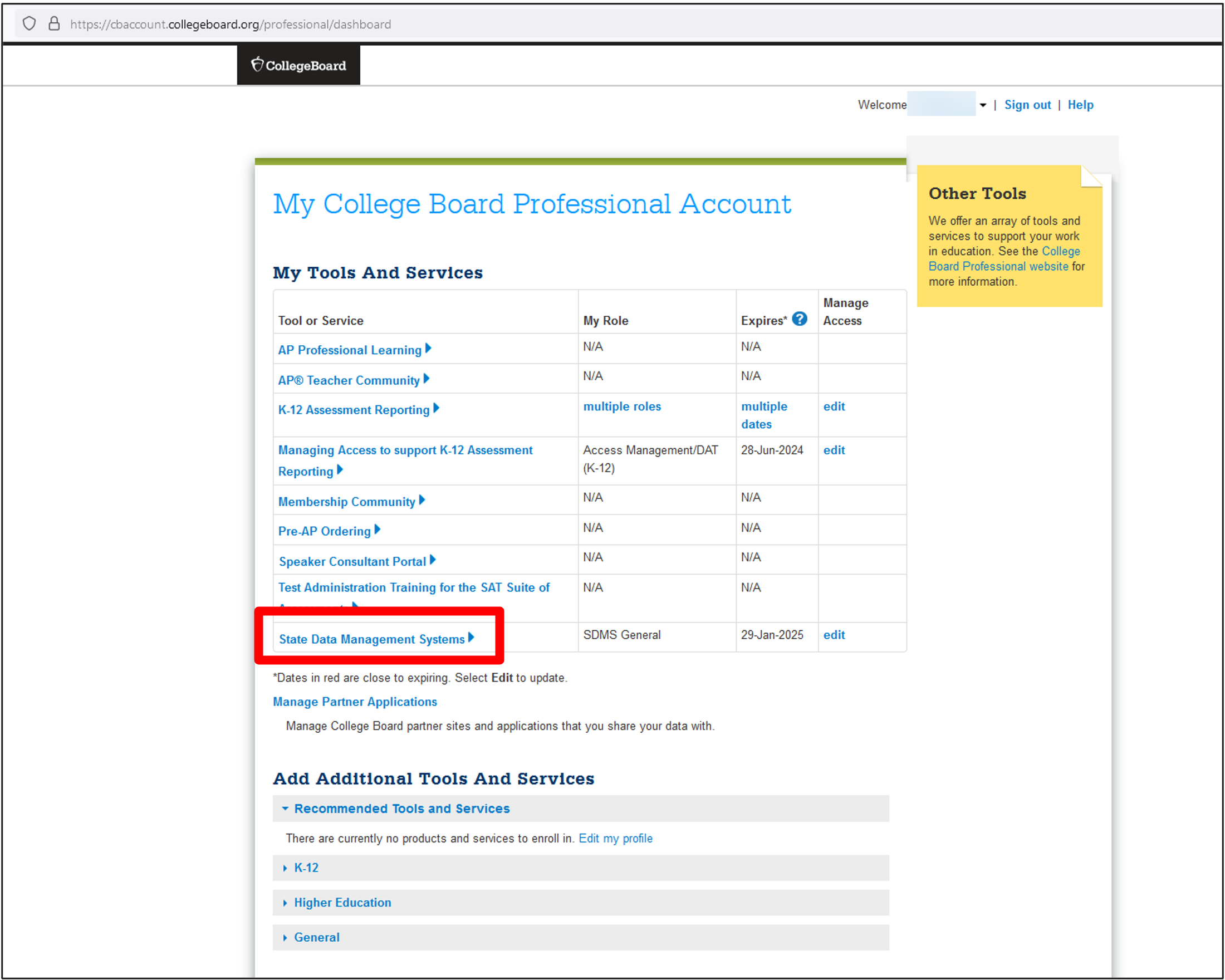
In late January, a link to access SDMS will automatically appear in My Dashboard under My Tools and Services. SDMS users will also receive a welcome email from College Board with a link to access SDMS.
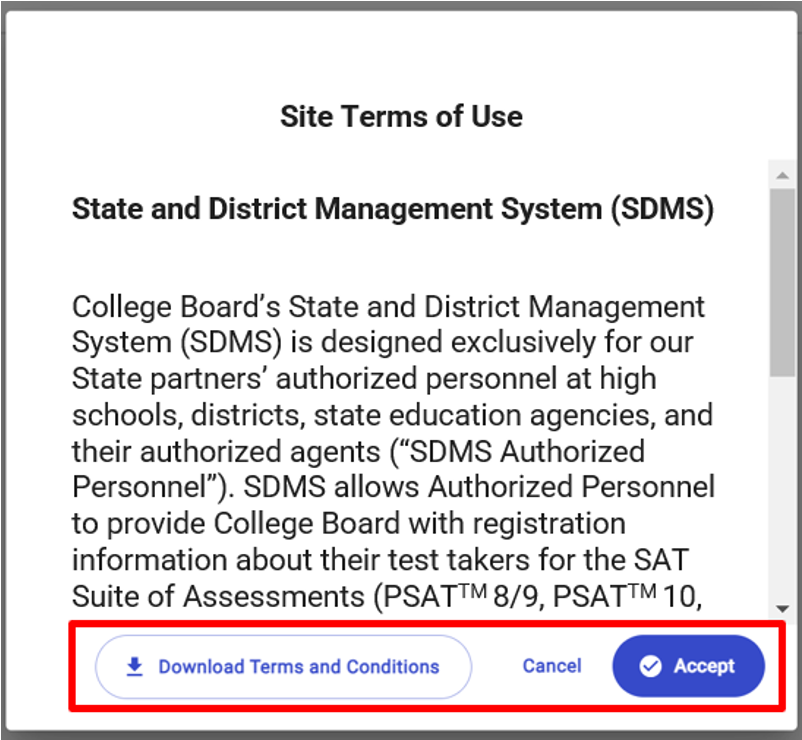
The first time you access SDMS for the spring administration, you will be asked to accept the SDMS terms and conditions. This prompt is a reminder of our shared partnership to protect test takers' privacy. After accepting the terms and conditions, you won't see this prompt again during the administration year. You can also click Download Terms and Conditions from this prompt.
Dashboard and Student Roster Pages
Your SDMS home page features a Dashboard that provides and overview of registration and testing status data for each assessment you're administering. Each assessment appears on its own card. Depending on your permissions, these cards may include state-level, district-level, or school-level information.
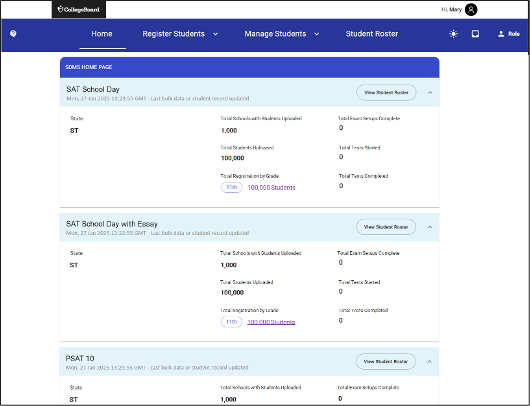
From your home page, you can navigate to the Student Roster page, where you can view list data and summary data for students.
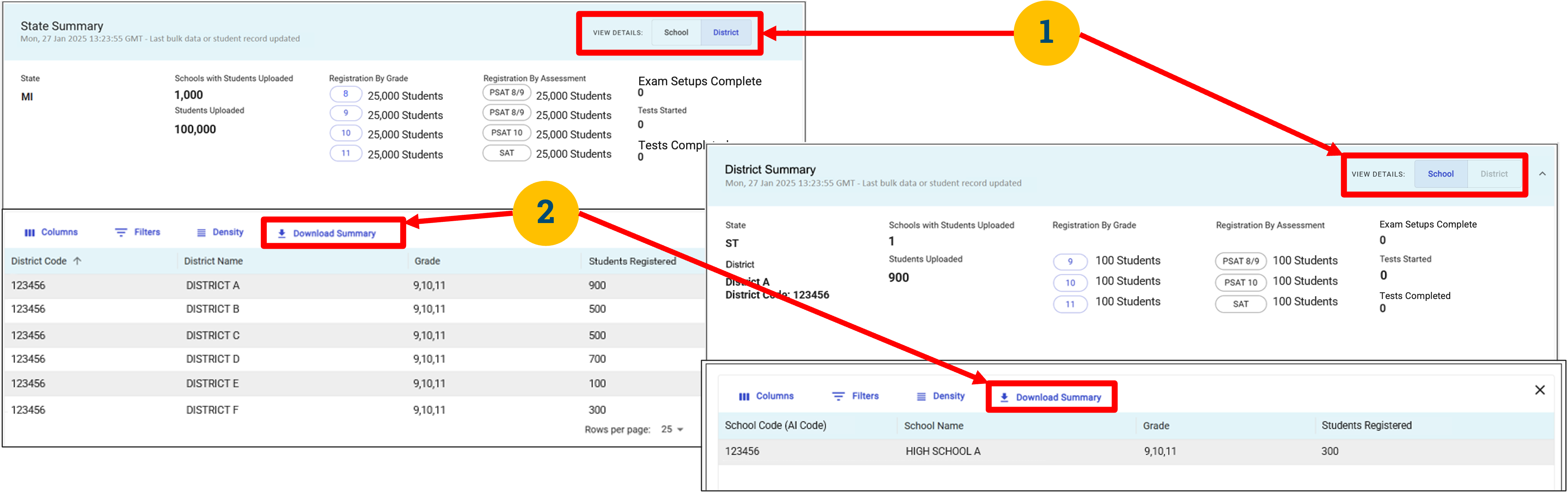
State and district users can download summary data files from this page. When you toggle the View Details button between District and School, a Download Summary link appears above the table that lists the districts or schools participating. State users can download district or school summaries, and district users can download school summaries.